Features
Everything it takes to deliver a wedding, and to run the studio around it.
No roadmap promises here. Every feature on this page is built and working today. Start free, with paid plans from $5 a month. Plans differ mainly in storage, and a few features, such as online booking, start on paid plans.
Client galleries
The page your client opens: your studio’s name, a cover that sets the tone, and a quiet grid that puts the photographs first.
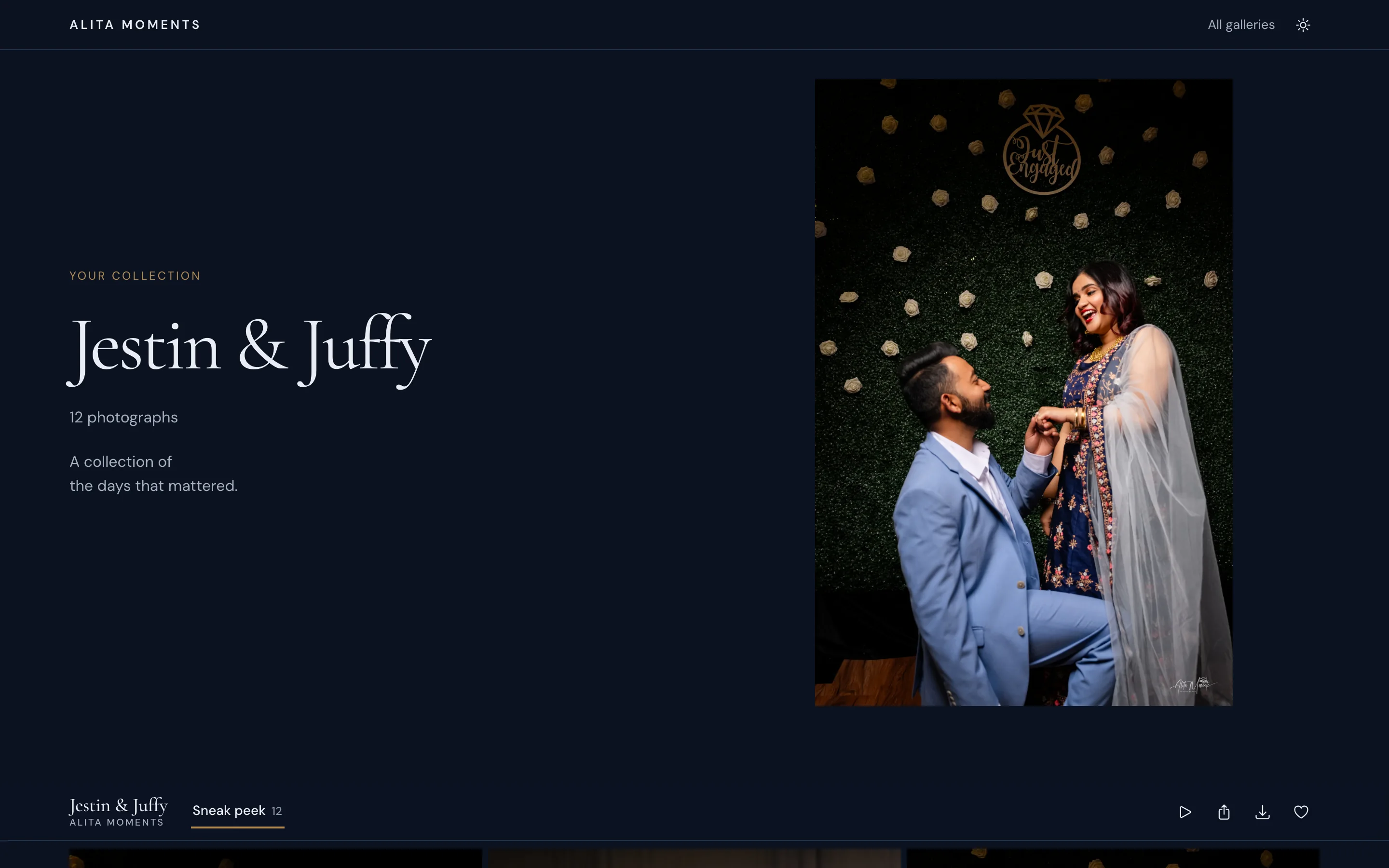
Sections
Split a day into chapters (getting ready, ceremony, portraits) with counts on every tab.
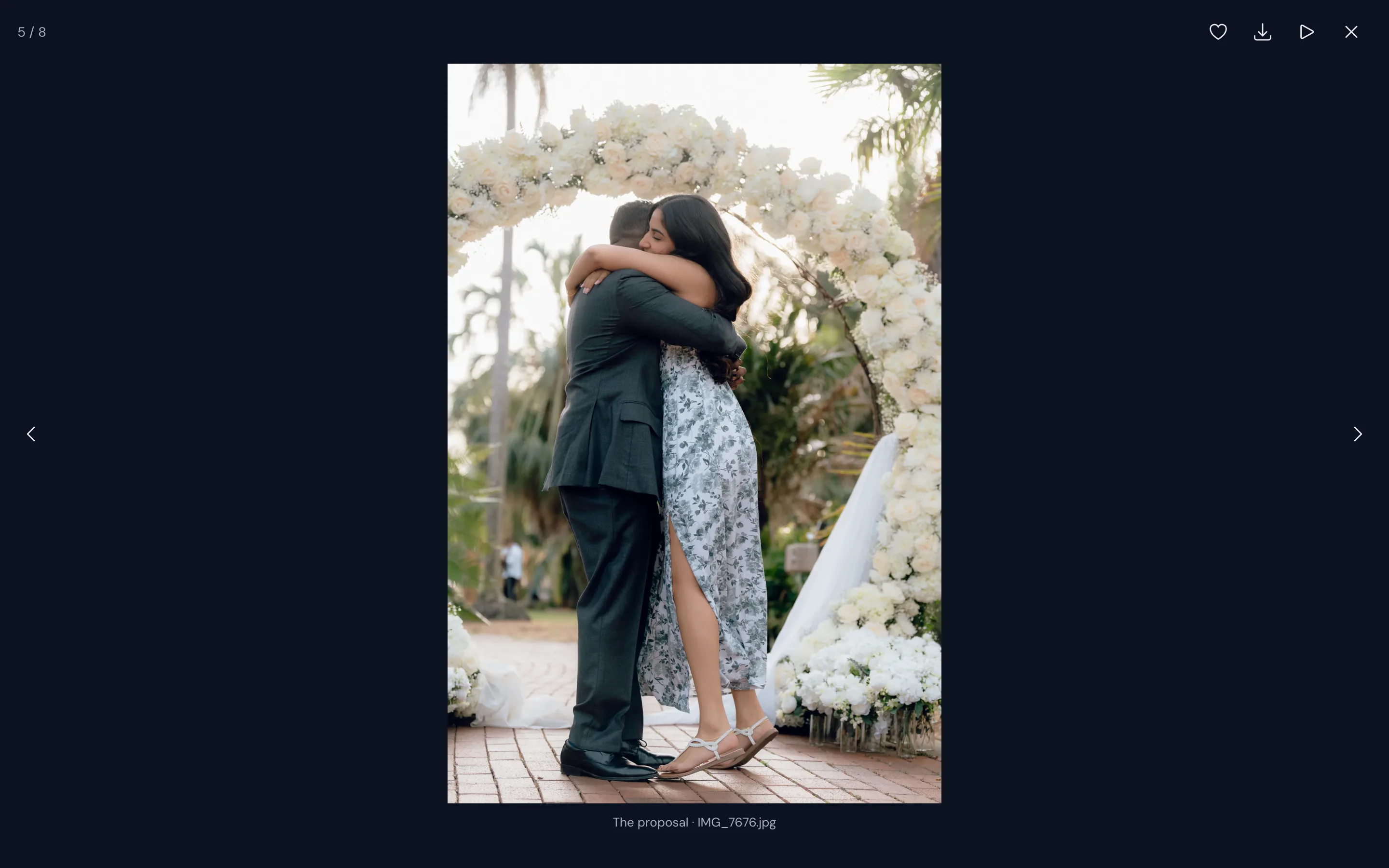
A full-screen viewer
Arrow keys and swipes, favorite and download from the photograph itself.
Made for phones
Pinch to zoom, double-tap, and a gallery bar that hides while scrolling.
Light and dark
Set each gallery’s default; every visitor can switch for themselves.
A collections page
All your published galleries on one page, with tag filters.
Category tags
Label collections Wedding, Portrait or anything you like to group them.
New on every plan
Opt-ins and subscribers
Let the people who visit your galleries ask to hear from you, and keep a clear record of who agreed to what.
Opt-in boxes
An unticked box beside the email field on favorites, downloads and purchases, off until you turn it on.
A sign-up form
A small form on your galleries, shown once to each visitor, and a sign-up page of your own to link to.
Subscribers
Everyone in one list, with where and when each person signed up and the exact words they agreed to.
Import and export
Bring in a CSV of people who have agreed, or save your list as one. An import never brings back someone who unsubscribed.
Favorites and proofing
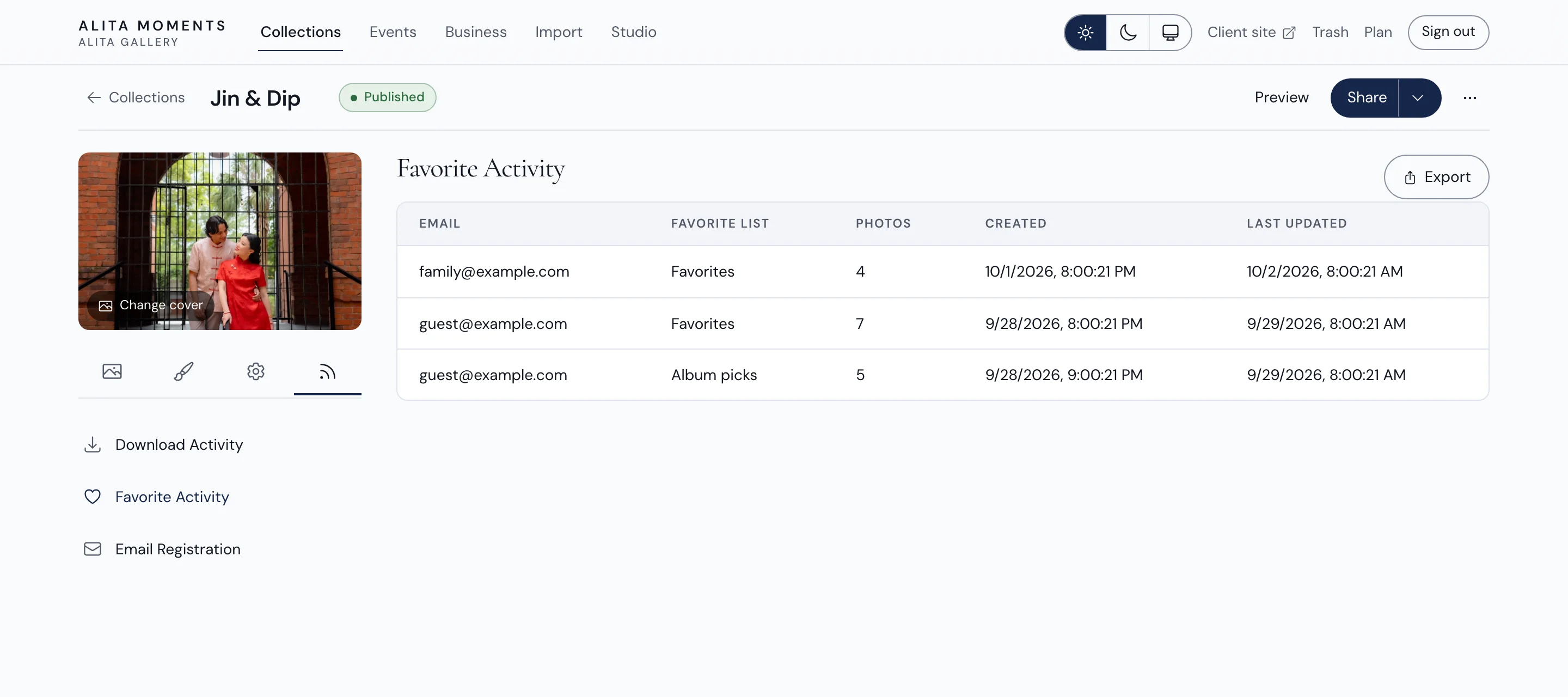
Clients choose their favorites in named lists, and you see every list and every download in the collection’s Activity.
Favorites
One tap on any photograph, on the grid or in the viewer.
Named lists
Clients make lists like Album picks or Prints, each with its own count.
Email registration
A visitor’s email is asked for once, before their first favorite or download.
Favorite Activity
Every list, whose it is, how many photographs, and when it changed.
Download Activity
Who downloaded the whole gallery, a section, a single photograph or a video.
Export
Save download and favorite activity as a spreadsheet for your records.
Downloads
Full-resolution delivery that starts the moment a client asks for it, with the sizes, sections and limits you choose.
Whole gallery or sections
Clients tick the sections they want or take everything, and any section can stay view-only.
Your choice of sizes
Originals or 3600 px for printing, and a web size from 640 to 2048 px for sharing.
Starts instantly
No waiting for a ZIP to be built, and no second copy of your photographs stored.
Large galleries, handled
Very large downloads arrive as a few files that open on any computer.
Download PIN
Anyone with the link can view; only people with the PIN can download. Cap how many full downloads it opens.
Download limits
Cap how many photographs can be downloaded, shared by everyone or counted for each person you list.
Videos
Let clients download videos, or keep them to watch only.
Single photographs
Download any one photograph from the grid or the viewer.
Privacy and access
Every collection starts as a private draft. You decide when it goes live, who can open it, and for how long.
Password protection
Keep a gallery private, with a strong password generated in one click.
Expiry dates
Close a gallery automatically on a date you choose.
Drafts
Nothing is public until you publish it.
Private photos
Turn it on and your client can hide a photograph from everyone else who opens the gallery. You still see it, and who hid it.
Replace a share link
Retire an old link at once; everyone needs the new one.
Custom addresses
A short, readable address for each collection, alongside its private link.
QR codes
A QR code for every collection, ready for cards and prints.
Guest uploads and event galleries
Turn on guest uploads for a client collection: guests scan a QR code and add their own photos, in a gallery of their own beside yours.
A QR code and a sign
A printable table card, an 8 × 10 sign and a phone image, in your gallery’s type.
No app, no account
Guests open the link in their phone’s browser, add their name if they like, and choose photos.
A collection per guest
Every named guest’s photos gather under their name, and all of them in All guest photos.
Approve first
Hold new guest photos until you approve them, one at a time or in bulk.
Highlights
Mark the best of the guests’ photos; they gather in Highlights.
Your photos, or not
Show your delivered photos beside the guests’, or keep them apart.
Design and branding
Fourteen cover layouts, nine color themes, seven type sets and a live preview, so every gallery looks like it came from your studio.
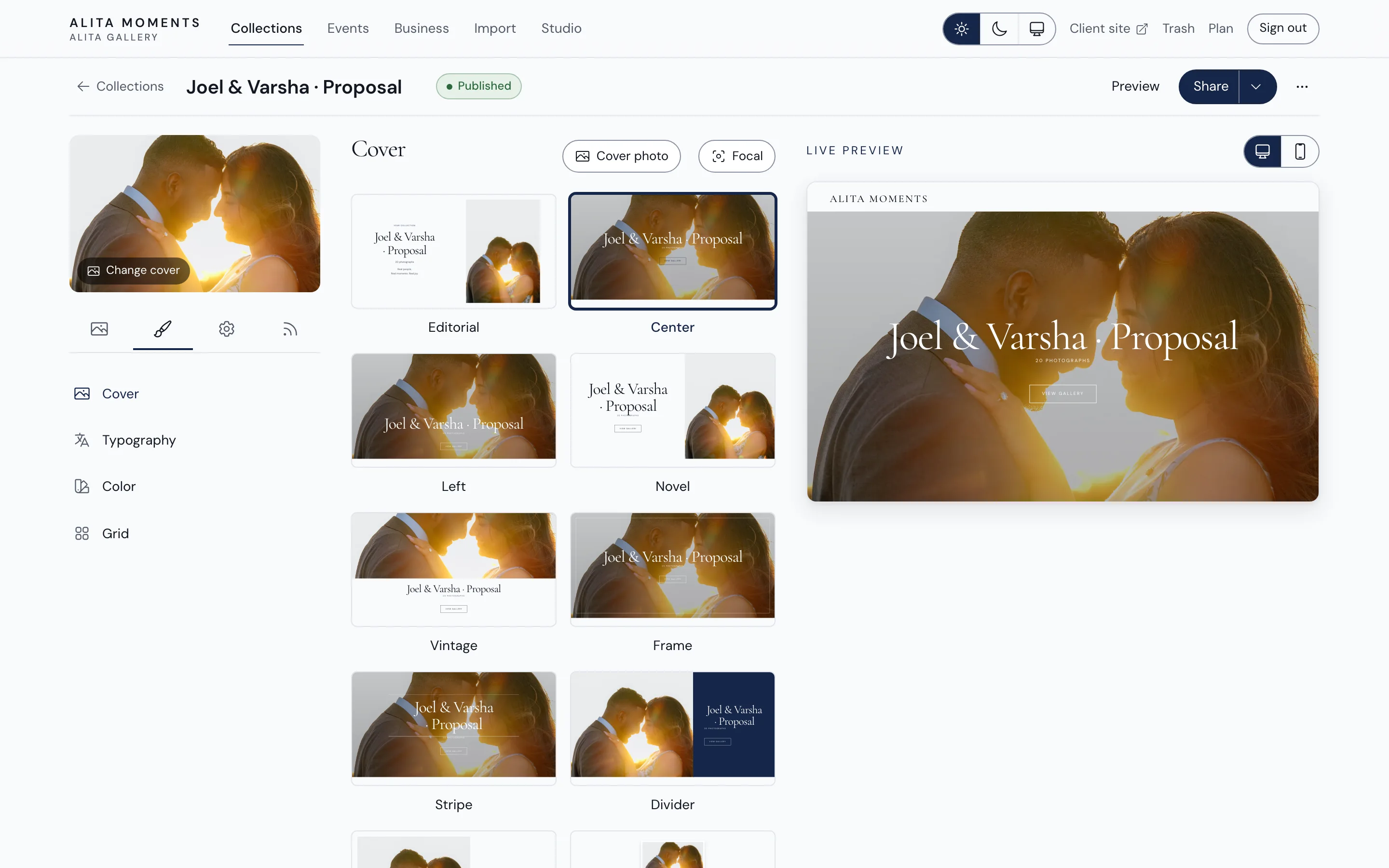
Cover layouts
Editorial, center, left, novel, vintage, frame, stripe, divider, journal, stamp, outline, arch, card, banner, or none.
Color themes
Light, Dark, Soft gold, Blush, Terracotta, Sand, Sage, Sea glass and Olive night, with your own accent on top.
Focal point
Choose where every crop of your cover photograph stays centered.
Type sets
Classic, Serif, Sans, Modern, Airy, Bold or Minimal, each pairing a heading with its text.
Grid
Masonry columns or even rows, regular or large thumbnails, regular or wide spacing.
Cover details
Height, image shade, date, photo count and a View gallery button.
Studio defaults
Your name, tagline and website on every page, and the font and color new collections start with.
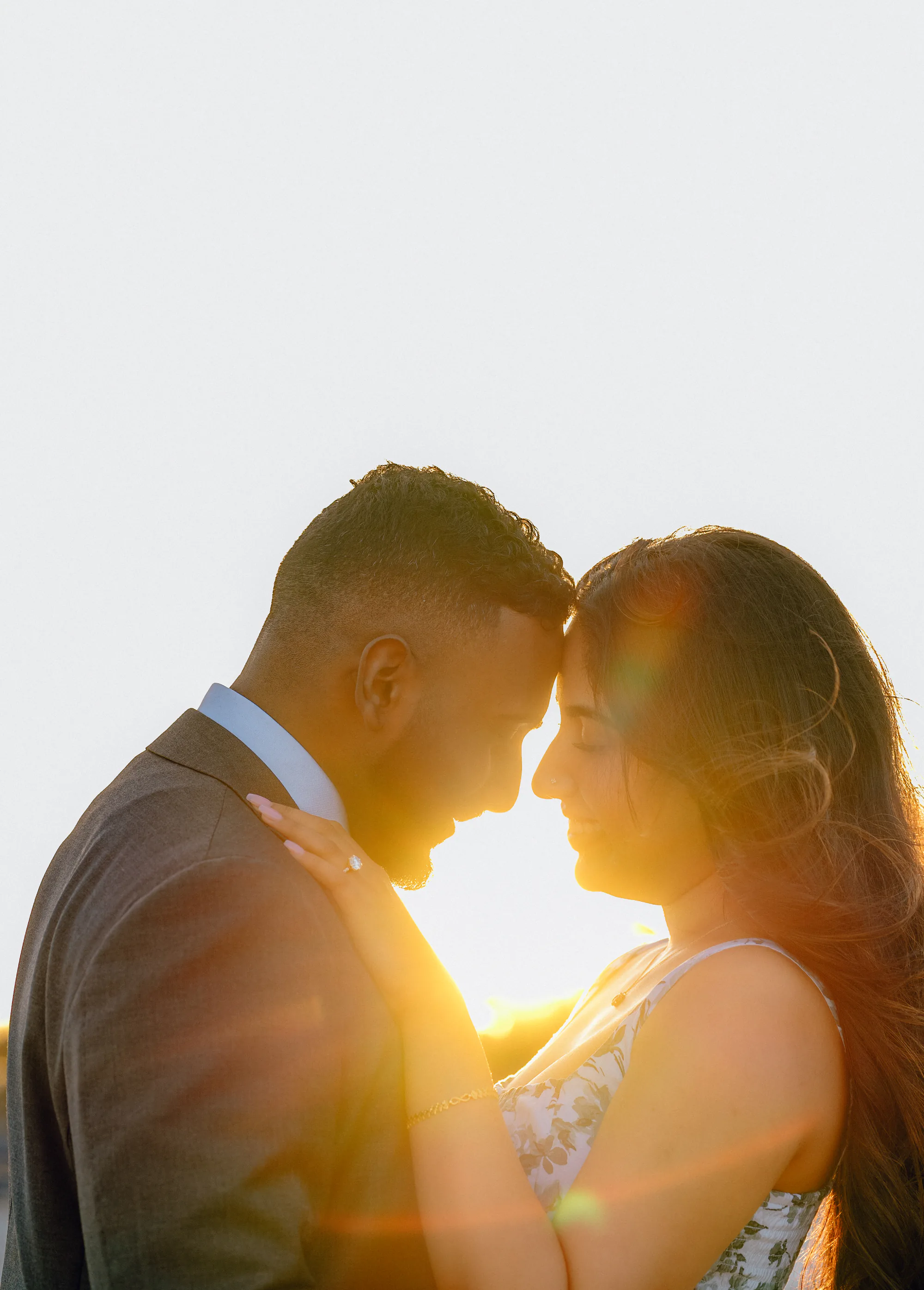
Amara & Daniel
The same cover designer you’ll use in your studio, with fourteen layouts, your own color and a focal point for every photograph. Start your free trial
Workspace and uploads
A calm workspace that keeps up with a real wedding: hundreds of photographs, several sections, and nothing lost.
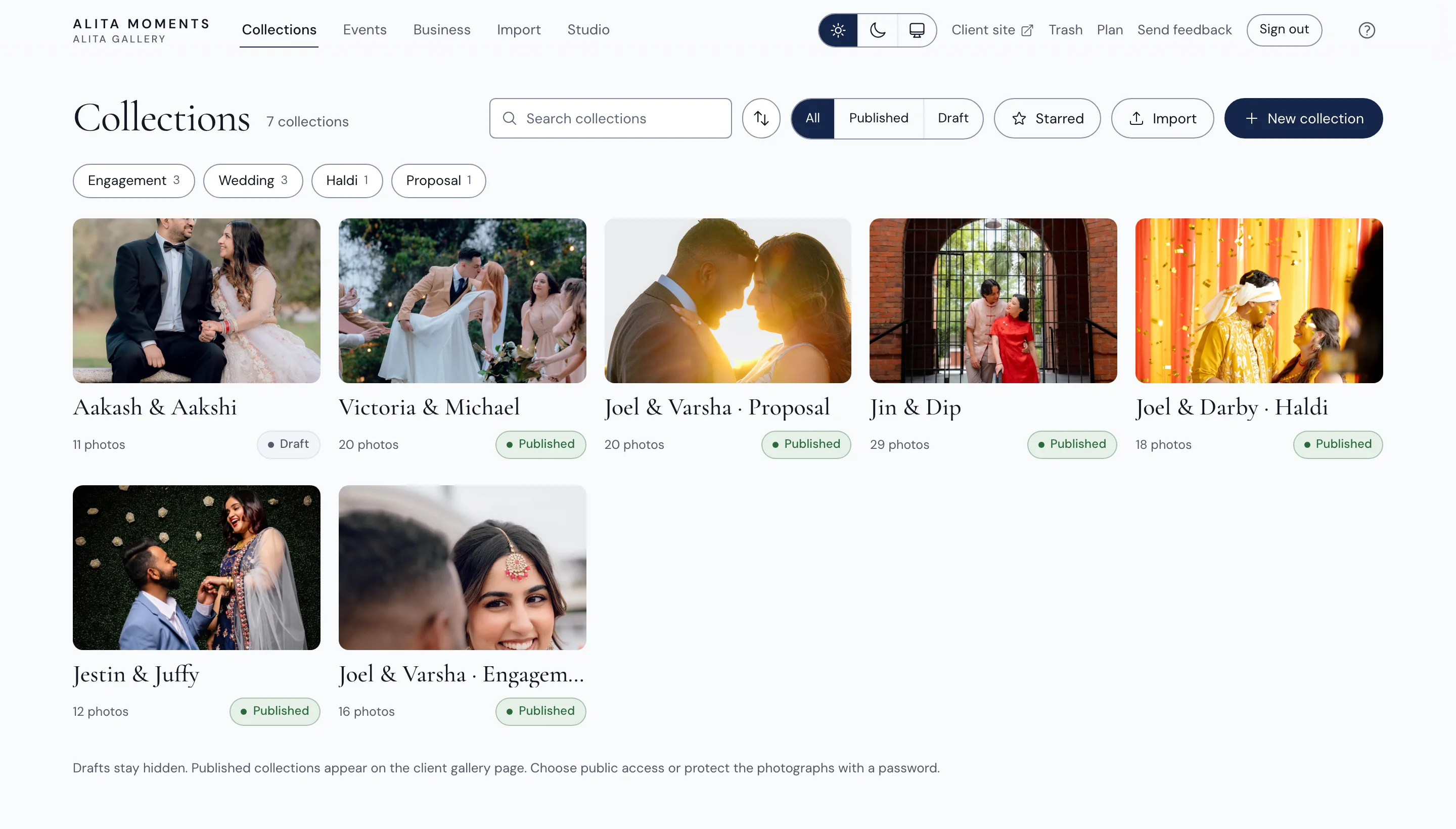
Folders
Group collections into folders that only you can see.
Photo Library
Every photograph and video across your collections, by month, searchable by file name, collection or tag.
Duplicate a collection
A new draft with the same settings, design and empty sections, ready for the next session.
One photograph’s menu
Rename it, replace it in place, copy its share link, or move or copy it to another collection.
Parallel uploads
Four photographs at a time, with honest progress and speed.
Folder drop
Drop a folder anywhere; its subfolders become sections.
Duplicate check
Photographs already in the collection are found before they upload again.
Select and move
Select many photographs, then drag, move or remove them together.
Photo order
By date taken, filename or upload time, or your own drag-and-drop order.
Cover in a click
Make any photograph the collection’s cover.
Find anything
Search collections and filter by status or tag; filter photographs by filename.
Event dates
Shown on the cover, beside the photograph count, if you like.
Switching from Pixieset
Bring whole collections across from a Pixieset download: collection names, sections and photographs, kept as drafts until you have checked them.
Batch import
Pixieset’s collection list plus one folder of galleries becomes all your collections at once.
A report of every link
Old and new addresses side by side, to send to clients.

See it with your own work.
Your first 45 days are free, with no card to start. Then 100 GB for $10 a month, or keep a free plan with 5 GB.